Kickshatter: Rising Star Is Out Now — 112 Soccer Puzzles
Kickshatter has moved from pixel soccer to a sunlit courtyard full of breakable defenses, winding pipes and moving targets. Kickshatter: Rising Star, the released 2.0 update, brings a rebuilt campaign of 112 levels across eight cups. You still have a simple job: aim a football, open a route, and score. The fun is finding what one good shot can set in motion.
Updated September 21, 2026: version 2.0 is available. Kickshatter: Rising Star was released on September 17. Download it on the App Store, or update your existing Kickshatter installation. See the Games list for a quick introduction.
A football puzzle you can read at a glance
Warm stone, terracotta roofs and painted props give the new game a different feel. Wood, glass and steel have distinct shapes and colors. Robots stand apart from the goal, and gaps between obstacles give you room to plan a bank shot.
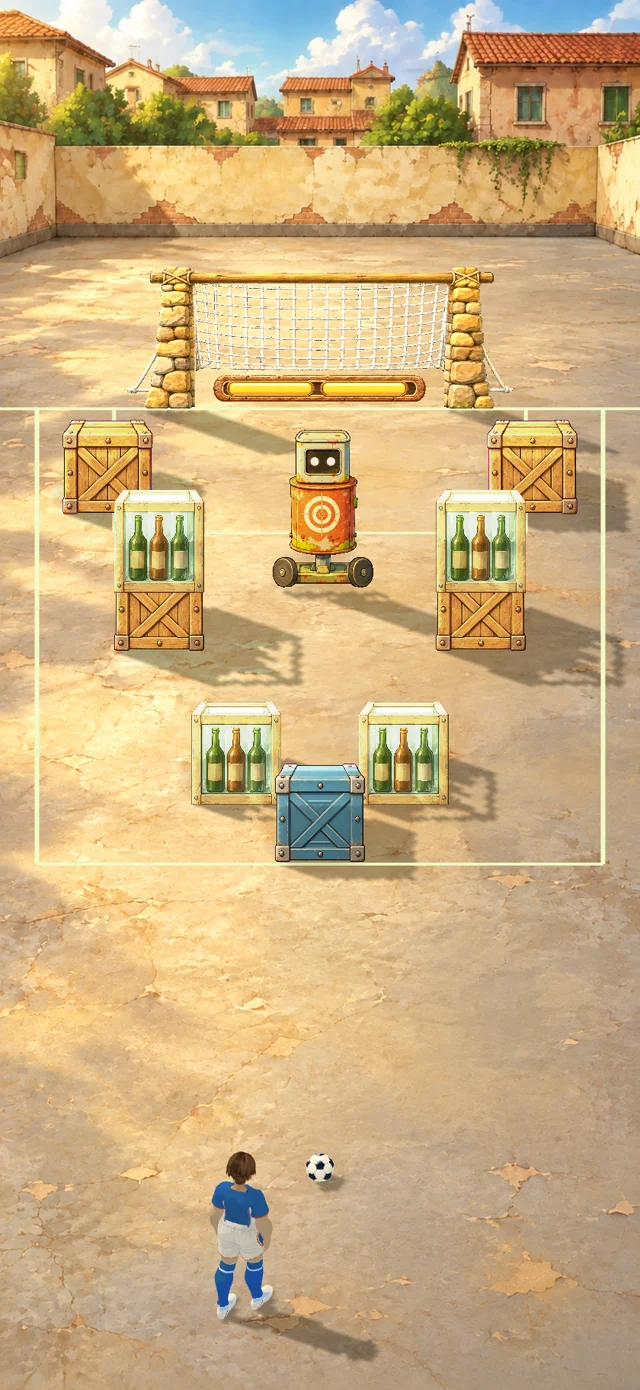
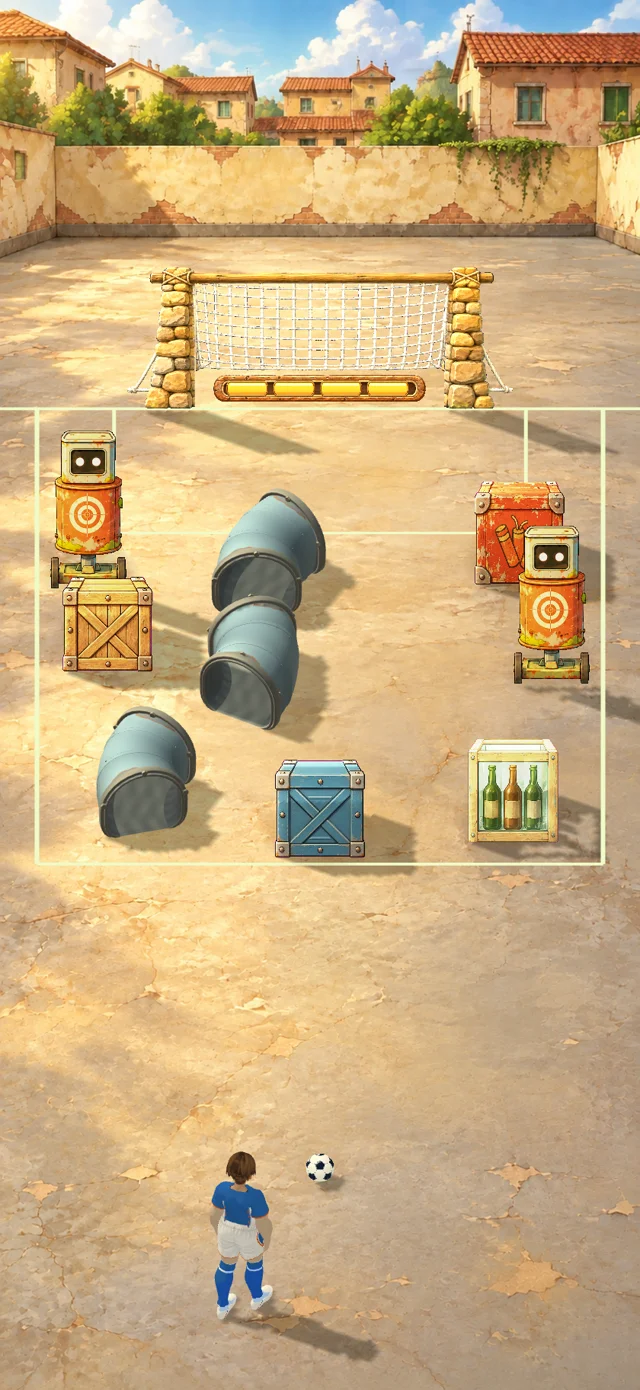
These are in-game level captures with the interface hidden to show the layouts. The full interface appears in the clips below.
The campaign introduces its pieces gradually. Each cup contains two seven-level rounds. Early levels let you learn the materials; later ones combine routes, timing and special balls. A short opening guide shows how to aim and shoot, find your previous shot angle, read the remaining-ball counter, and understand the goal condition.
Plan the route, then enjoy the chain reaction
A direct shot is only one option. Break a support and the stack above it falls. Send the ball through a bent pipe to approach a target from another direction. Time your shot around a robot crossing the lane. Water slows movement, adding another wrinkle to those moving-target puzzles.
Fireworks crates make a particularly satisfying payoff: a hit can ignite a chain that breaks neighboring defenses. Their revised speed boost keeps the ball moving without repeatedly multiplying its speed.
Recorded in the game: a short demonstration layout showing one fireworks chain reaction. This is a mechanics demonstration, not a complete campaign-level solution. The clip is silent and plays at normal speed.
Three special balls change your options
Through passes through up to three targets before returning to ordinary rebounds. Scatter splits the attack into several balls. Blast adds an explosion to the impact. Special levels give you an unlimited supply of their featured ball within the level's six-shot budget—unlimited inventory does not mean unlimited shots in a level.
The featured ball starts selected. You can switch to another ball, and your selection stays in place for the rest of the current level unless you change it again. Ordinary levels keep your chosen ball selected too, while you have stock available.
Gifts worth stopping to collect
The early rounds have a finite set of welcome gifts: three special balls or one player card. A glowing card appears over the pitch; tap Collect and it travels to the corresponding equipment slot. You can see both what you received and where to find it.
In-game reward sequence, shown at normal speed without audio. These introductory gifts are awarded once at their designated milestones, not after every round forever.
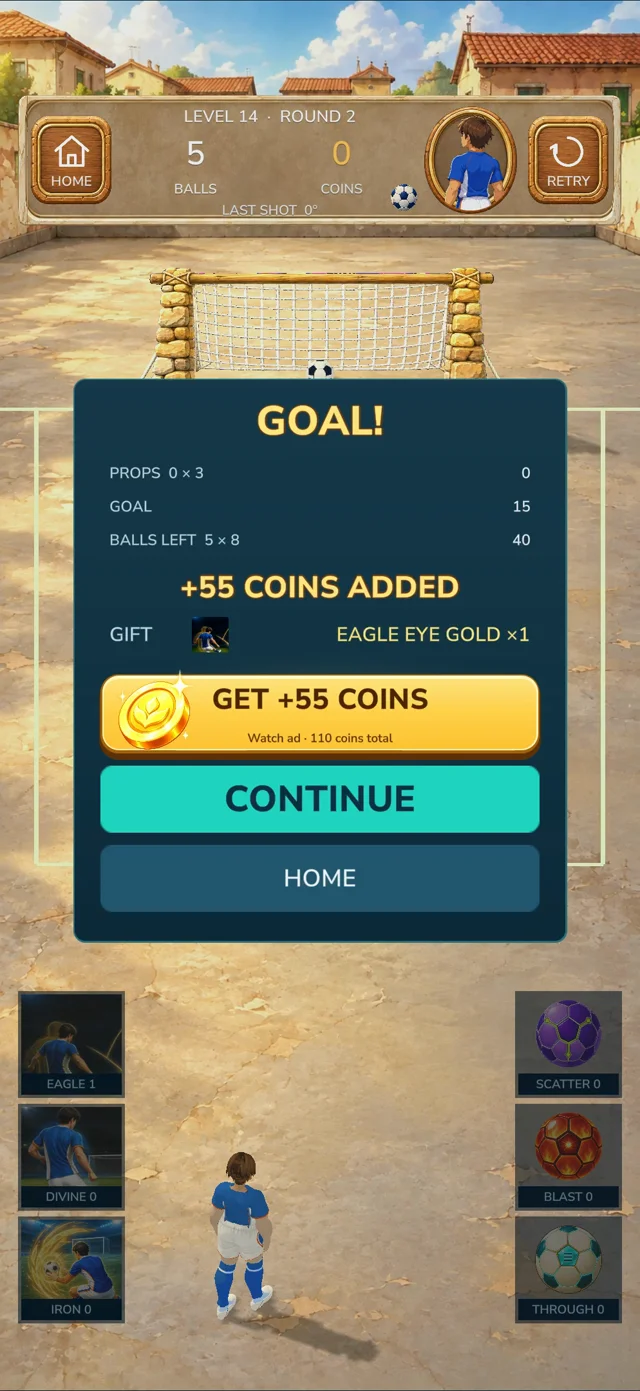
The result panel also separates the coins already earned from the optional extra reward. In this example, 55 coins have already been added. Watching an ad adds another 55, for 110 total. Continue keeps the base reward and takes you back to the campaign.
Download Kickshatter: Rising Star
- Open Kickshatter on the App Store on your iPhone or iPad.
- Tap Get to install, or Update if you have the earlier version. It is the same app, so no separate download or TestFlight invitation is needed.
- Start with the First Shot guide, then follow the Cup Route.
The game is free to download, with optional in-app purchases and rewarded ads. No account is required. In-game text is primarily in English. Availability depends on your App Store region.